
Register arrivals
Matches the Register card on the guard dashboard: guards start a new visitor record and connect it to the right host or destination.
Preview the actual mobile experience guards and hosts use to register visitors, approve access, review activity, and coordinate security at the gate.
Mobile workflow
Matches the Register card on the guard dashboard: guards start a new visitor record and connect it to the right host or destination.
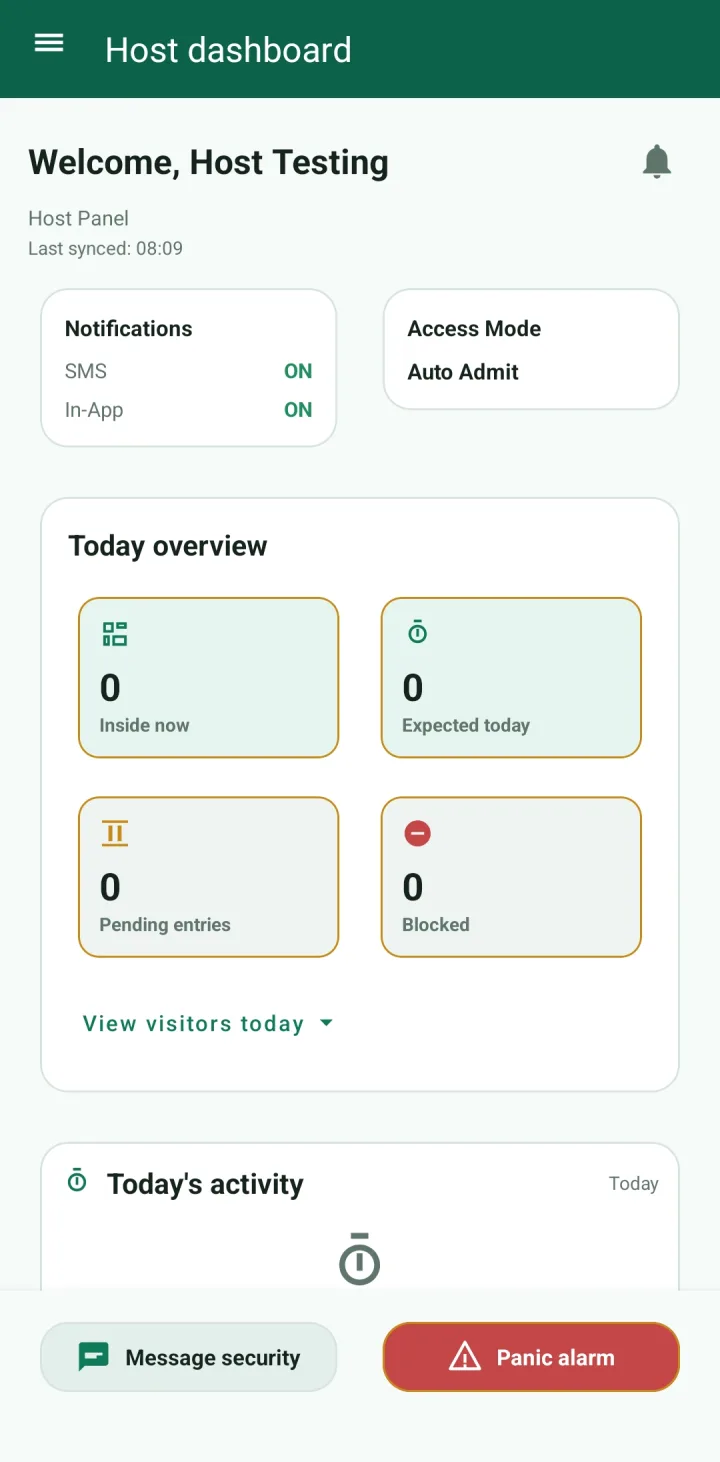
Matches the host dashboard notification panel: hosts can keep SMS and in-app alerts on and choose how visitors are admitted.
Matches the Visitor Activity and Visitor History screens: teams see who is still inside, who checked out, and what needs action.
Matches the Message security and Panic alarm buttons: hosts and guards can coordinate urgent security issues from the app.
Screenshots
These screenshots show the live guard and host experience: registration, visitor activity, host controls, visitor history, messaging, and emergency actions.
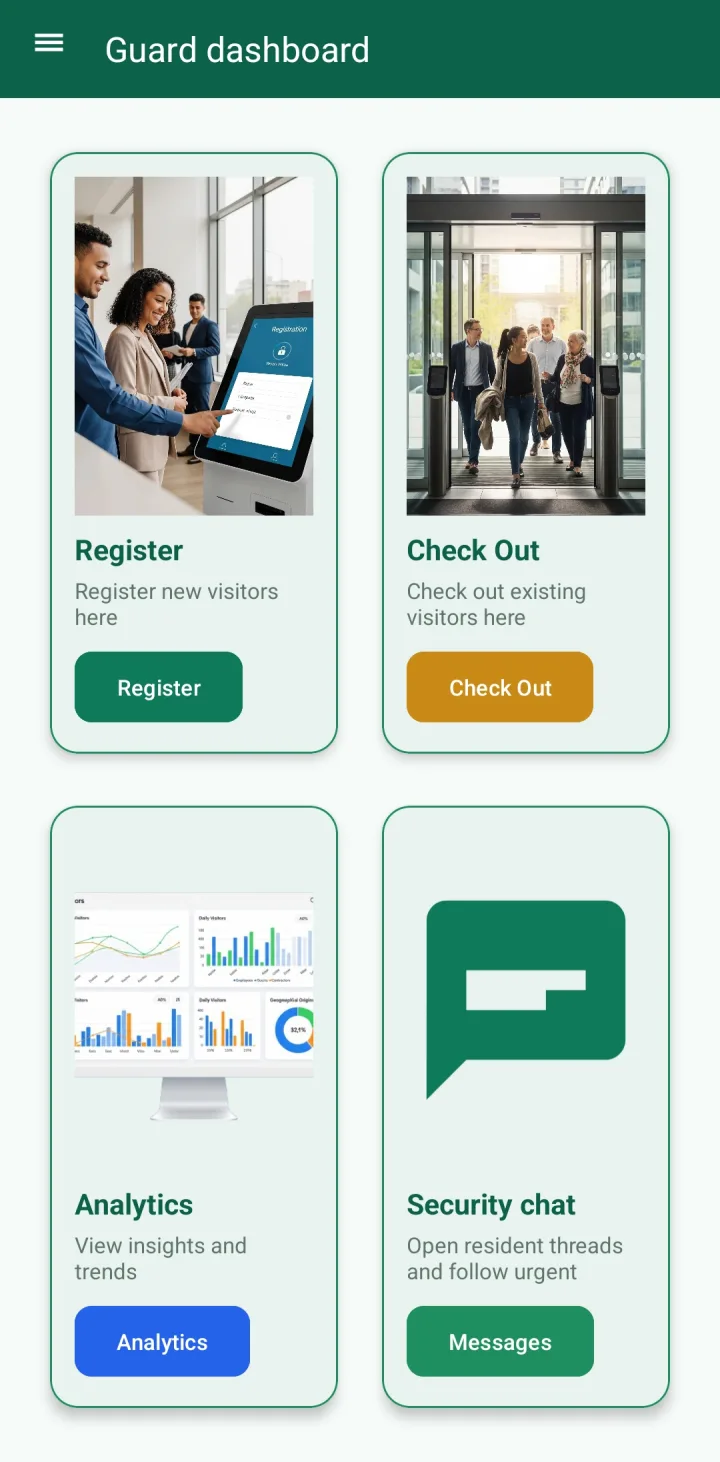
The guard home screen gives entrance teams four primary actions: register a new visitor, check out an existing visitor, view analytics, or open security chat.
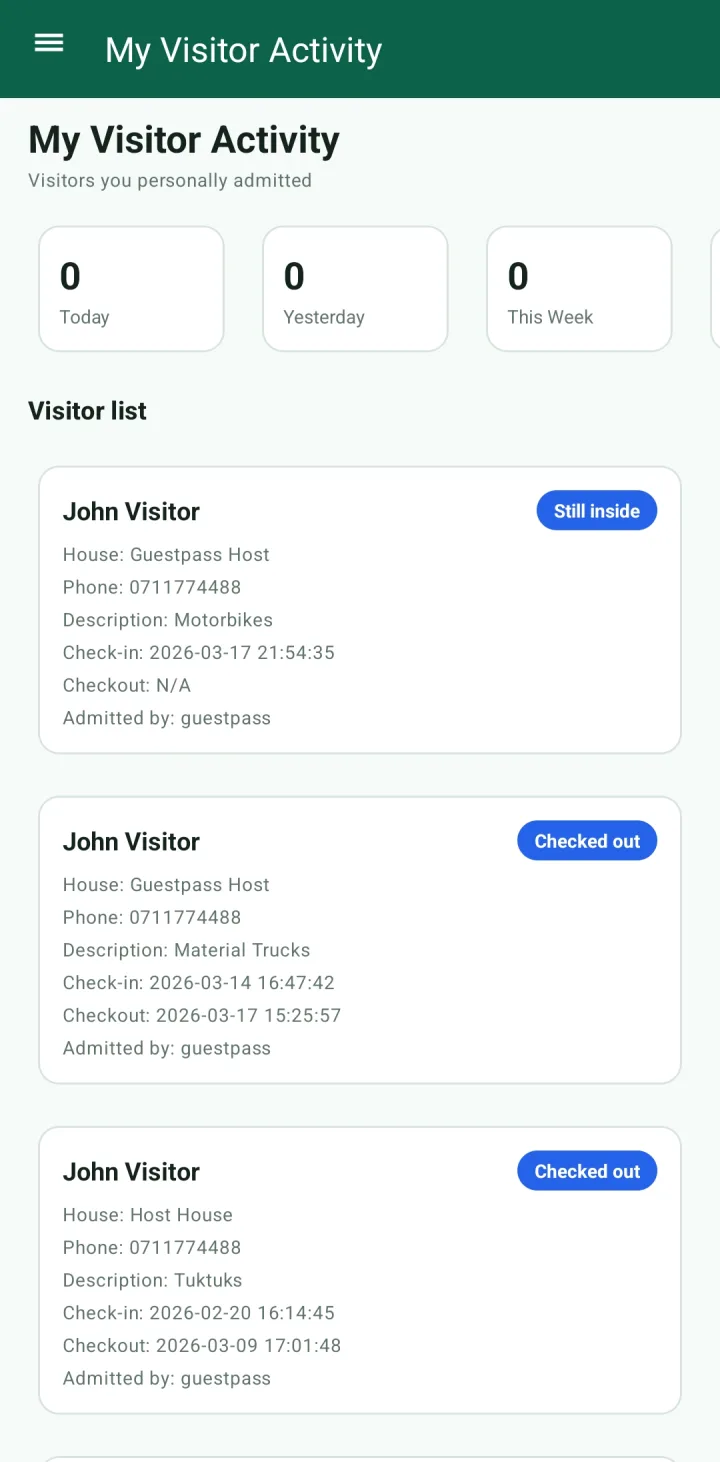
This screen lets a guard review the visitors they personally admitted, with daily totals and each visitor’s house, phone, purpose, check-in time, checkout time, and current status.
The host dashboard shows whether SMS and in-app alerts are on, the current access mode, today’s visitor counts, and urgent actions for messaging security or raising a panic alarm.
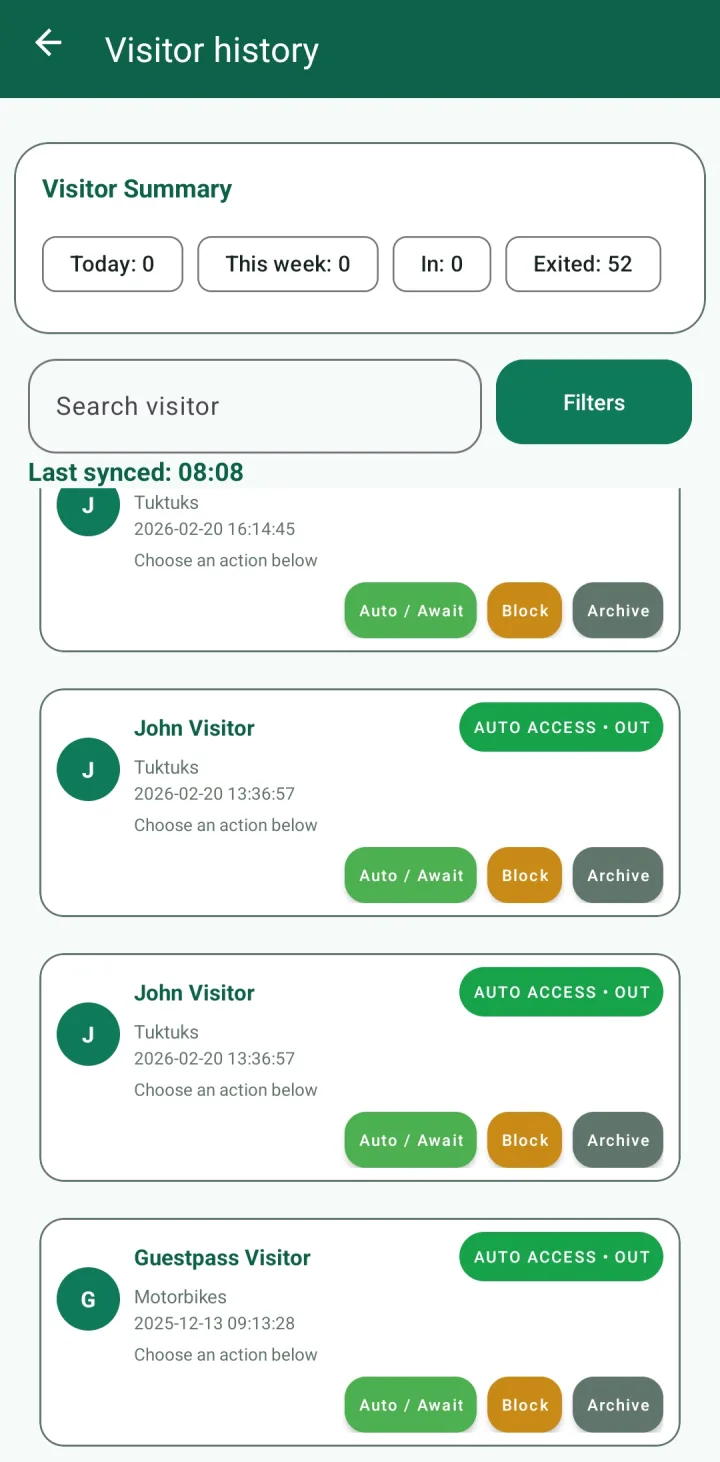
Visitor history combines summary counts, search, filters, visitor records, and access controls for auto access, awaiting approval, blocking, or archiving visitors.
Explore GuestPass
Review features, pricing, setup guidance, and the visitor management workflow before creating your workspace.
Start with the same mobile screens shown here, then add your houses, guards, hosts, and entrances.